How to Add a Card Reader to a Vending Machine
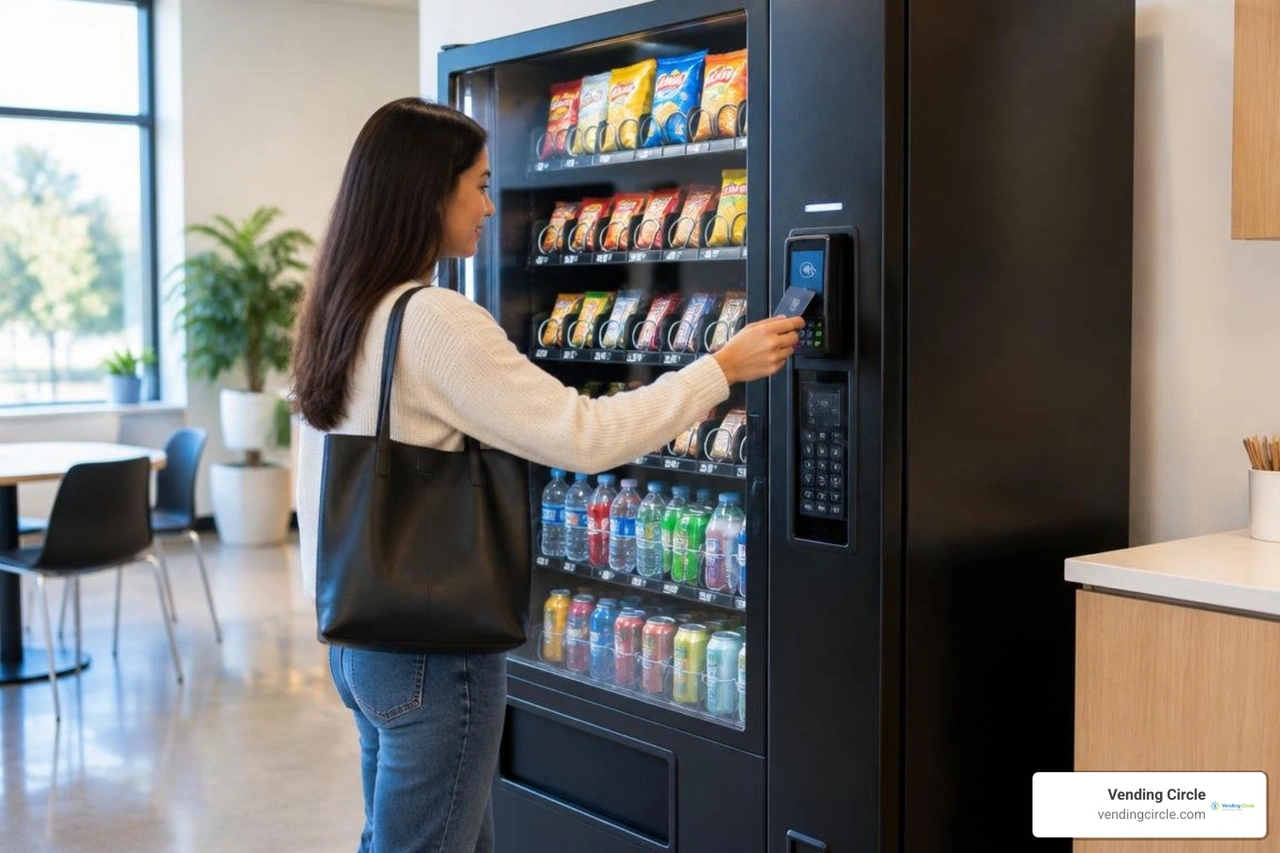
To add a card reader to a vending machine, first check that its controller supports MDB, the common connection standard for vending payments. Choose a compatible reader, turn off and unplug the machine, mount the reader, and connect its cables using the maker's instructions. Then activate the payment account and test a real purchase. Do not call the job done until the payment goes through and the product drops.
For a fleet, check compatibility and cellular signal at each location before ordering readers. That small step can save a second service trip.
I'm Manuel Mojica, founder of Vending Circle and former owner of MM Healthy Vending. I use my operator experience and cybersecurity background to turn questions like "add card reader to vending machine" into practical guidance for vending operators.

Add card reader to vending machine terms to know:
Machine Compatibility and Hardware Requirements
Before turning a single wrench, we must verify that the machine’s internal brain can communicate with modern payment hardware. In the vending industry, communication relies primarily on the Multi-Drop Bus (MDB) standard protocol. MDB serves as the universal language linking the machine's main controller board (VMC) to peripherals such as coin changers, bill acceptors, and cashless payment modules.
Modern machines manufactured over the last decade come standard with MDB-compatible control boards operating across standard 24V to 34V DC power channels. However, older legacy equipment might feature obsolete 110V pulse systems or "dumb" interfaces using 12-pin or 15-pin coin changer harnesses. If you attempt to connect a modern terminal directly into a high-voltage pulse board, you risk frying your new payment hardware.
For specialized hardware deployments, checking the UPT1000 technical specifications reveals that commercial-grade payment modules typically require operating voltages ranging from 9V to 34V DC at 1.5A to 0.5A, featuring EMV Level 1 and Level 2 contact and contactless compliance alongside PCI PTS encryption.
If your fleet features older machines, do not worry—you do not need to scrap functioning equipment. You can install an MDB conversion kit to bridge legacy wiring to standard 6-pin MDB connections. To understand your machine's exact internal wiring layout, consult our comprehensive vending machine card readers guide.
| Machine Generation | Native Protocol | Wiring Interface | Retrofit Requirement | Maximum Vend Capability |
|---|---|---|---|---|
| Modern (Post-2015) | MDB Level 2 or 3 | Standard 6-Pin Molex | Direct Plug-and-Play | Unlimited / Full Dynamic Pricing |
| Standard (2000–2014) | MDB Level 1 or 2 | Standard 6-Pin Molex | Firmware Update or Direct Plug | Full Dynamic Pricing |
| Legacy Pulse (Pre-2000) | Micromech / Pulse / 110V | 12-Pin or 15-Pin Jones Plug | MDB Controller Conversion Kit + MDB Validator/Changer | Often capped (e.g., $12.00 limit) |
Tools Needed to Add a Card Reader to a Vending Machine
Retrofitting your equipment does not require specialized industrial machinery. You can handle the entire setup with standard hand tools you likely already carry in your service vehicle:
- Safety glasses and work gloves: Essential eye protection when drilling metal cabinets.
- Variable-speed cordless drill: Needed if your machine lacks a pre-punched card reader knockout.
- Step drill bit (unibit) or standard high-speed steel bits: Sized 1/8-inch up to 1/2-inch to create clean holes without deforming the front panel.
- Nut driver and deep socket set: Common 11/32-inch, 1/4-inch, and 5/16-inch sizes to fasten mounting studs and brackets.
- Magnetic-tip screwdriver set: Both Phillips (#1, #2) and flat-blade heads to secure controller terminals.
- Flush-cut wire snips and zip ties: For clean cable routing away from moving delivery motors.
- Metal punch or cardboard mounting template: Usually supplied with the hardware to mark exact hole patterns.
Retrofit Hardware vs Integrated Payment Systems
Operators frequently ask whether they should retrofit field units or invest directly in modern equipment with factory-integrated bezels.
Retrofit terminals are designed as modular payment devices. They fit standard knockout slots (often occupying the space formerly reserved for secondary bill validators or dedicated payment cutouts) and connect externally to the controller. Retrofitting keeps capital expenditures low while allowing you to modernize legacy routes on demand.
Factory-integrated payment systems feature flush-mounted touchscreens and integrated cashless modules built directly into the front door fascia during initial manufacturing. These integrated systems eliminate snag hazards, reduce vandalism risks, and deliver a clean, modern aesthetic.
When you expand your route and decide between buying new or upgrading, explore options for buying a vending machine with a card reader already installed from the factory floor.
How to Add Card Reader to Vending Machine Fleets in 5 Steps
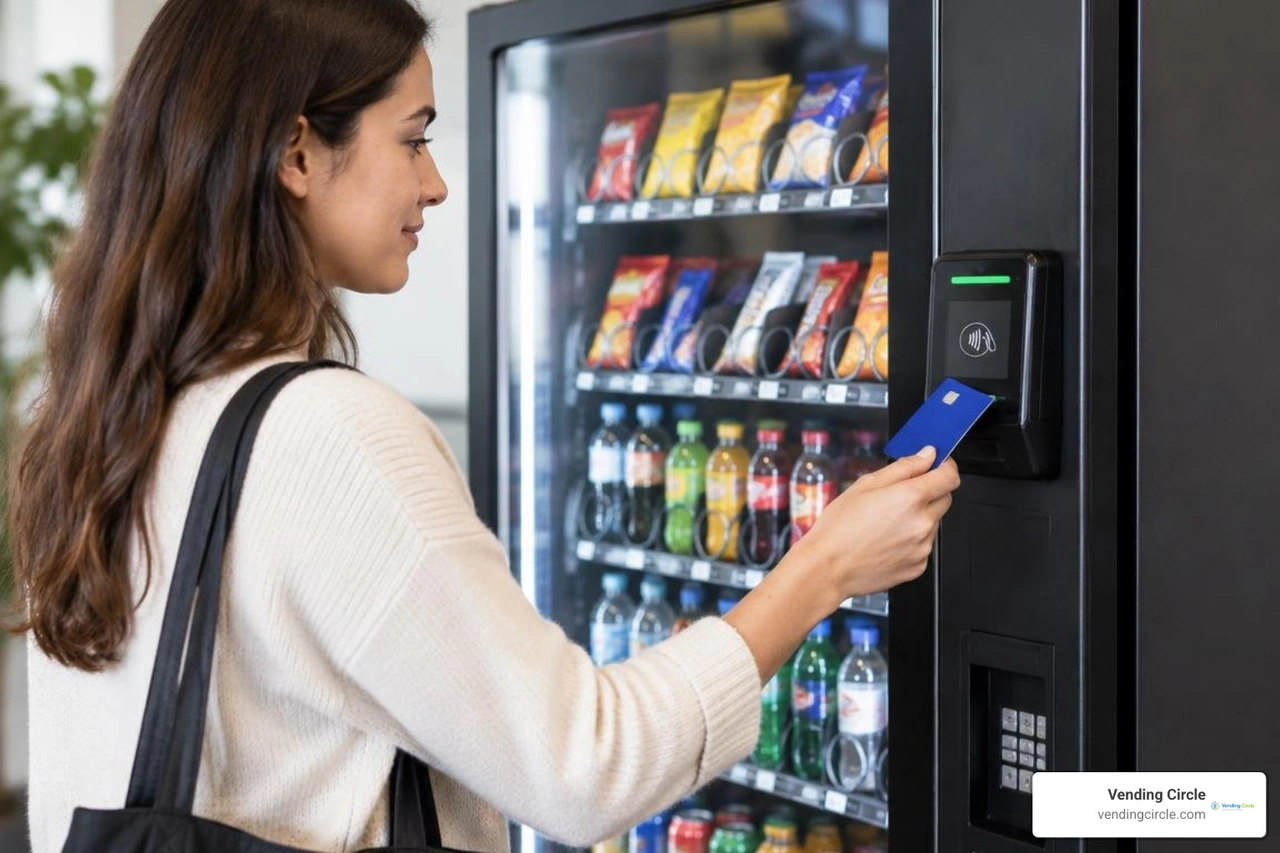
Installing a card reader takes roughly 30 to 60 minutes per unit once you understand the basic workflow. We recommend reviewing an engineering-focused step-by-step card reader installation guide before your first field install to understand how internal logic boards communicate with external peripherals.
Here is our tested, field-proven process to get your cashless hardware running smoothly.
Step 1: Power Down and Prepare the Front Mounting Area
Safety comes first. Always switch off the vending machine's primary power switch located inside the cabinet, then unplug the machine completely from the wall outlet. Vending machine cabinets house live AC power lines near the ballasts and power supply units; cutting power entirely prevents short circuits and protects internal circuit boards.
Open the main door and inspect the exterior fascia. Most modern machines have a pre-cut metal knockout plate positioned next to or directly above the bill validator.
- Use a flat-blade screwdriver or small hammer to gently tap out the blank metal plate.
- If your machine does not feature a factory knockout, position your manufacturer-supplied drill template on the front door. Ensure the final placement sits between 34 and 48 inches from the floor to meet standard ADA (Americans with Disabilities Act) accessibility guidelines.
- Center-punch your hole locations and drill pilot holes using your 1/8-inch drill bit, expanding them to final size using your step drill bit.
- Clean away any loose metal filings with a cloth or vacuum to prevent metal shavings from falling into lower electronics.
Step 2: Secure the Bezel and Route Internal Cables
Once the mounting cutouts are smooth and free of metal burrs, prepare your reader bezel for physical mounting.

- Align the reader’s front housing flush against the outside panel of the vending door.
- Thread the internal ribbon and data cables carefully through the central pass-through hole.
- On the interior side of the door, slide the mounting backplate or washers over the threaded studs.
- Thread your 11/32-inch locking nuts onto the studs and tighten them securely with your nut driver. Do not overtighten, as excessive torque can crack composite plastic bezels.
- Review our tactical steps on adding a card reader to a vending machine for clean cable dressing techniques. Secure all loose wiring along existing door harnesses using zip ties to ensure cables cannot snag against internal delivery trays or vending coils when opening and closing the door.
Step 3: Connect MDB Harness, DEX, and Telemetry Modules
With the payment head mounted securely, connect the electronic communication harnesses:
- Connect the MDB "Y" Cable: Locate the main 6-pin MDB harness originating from your machine’s control board. Disconnect the existing harness leading to your coin mechanism or bill validator, plug the card reader's pass-through "Y" harness into the board, and reconnect your bill and coin acceptors into the open tail. This creates an unbroken daisy-chain loop.
- Attach the DEX Harness (Optional but Recommended): Plug the 1/4-inch jack or DEX cable into the machine’s DEX port on the control board. DEX data transmits exact item sales counts, cash collection tallies, and internal diagnostics directly to your telemetry platform.
- Mount the Telemeter: Secure the cellular telemetry module inside the cabinet using its integrated magnetic backing or heavy-duty velcro, placing it high inside the cabinet away from compressor heat and refrigeration lines.
- Position the Antenna: Run the external antenna cable through a cabinet gasket to the top exterior surface of the machine. Position the magnetic puck antenna on the top metal roof of the cabinet to ensure maximum line-of-sight to local cellular towers.
Step 4: Restore Power, Register Backend, and Complete Live Testing
Now bring the system online:
- Double-check all connections to ensure pins are seated squarely without bent terminals.
- Plug the machine back into the wall outlet and turn on the main power switch.
- Watch the LED indicators on the internal telemetry device. Most units follow a boot sequence: flashing red (power on/booting), flashing yellow (searching for cellular carrier), and solid green (successful network handshaking and server sync).
- Log into your device provider's mobile app or merchant portal on your smartphone. Pair the reader’s serial number with your vending machine ID, enter the correct machine name and location, and set your pricing parameters (such as enabling two-tier cashless pricing if you charge an offset fee for card transactions).
- Ensure the machine's control board menu is set to allow cashless peripherals (typically found under
Menu to Configuration to Cashless to MDB Level 3). - Perform a live test vend. Tap a contactless debit card or mobile wallet on your freshly mounted reader. Ensure the screen displays authorization, select a beverage or snack item, confirm the coil drops the product cleanly, and check that your merchant portal records the approved transaction. If your setup supports swipe payments, see our guide on testing a credit card swipe vending machine.
Optimizing Cellular Connectivity and Overcoming Dead Zones

A card reader is only as reliable as its internet connection. Modern readers transmit authorization packets over commercial 4G LTE and 5G cellular networks. When machines are placed inside reinforced concrete basements, hospital interior cores, or steel warehouse breakrooms, cellular attenuation can cause transaction timeouts and lost revenue. In fact, operators who experience poor signal strength can see a 20% drop in authorization success rates until signal issues are resolved.
To keep your payment readers operating at peak uptime:
- Check Signal Values During Placement: Use your management dashboard to evaluate Received Signal Strength Indication (RSSI). Signal strength values better than -85 dBm indicate a reliable connection. When signal degrades beyond -100 dBm, transactions will encounter noticeable lag or fail entirely.
- Install High-Gain External Antennas: Swap standard internal stub antennas for high-gain omnidirectional magnetic puck antennas. Run the low-loss coaxial cable out of the upper door hinge and seat the puck directly on top of the machine's exterior crown.
- Deploy Directional Yagi Antennas or Signal Boosters: If your machine sits deep in an industrial park or multi-level parking garage, run an extended low-loss cable to an external window line or install an in-building cellular booster.
- Utilize Hard-Wired Ethernet or Wi-Fi Modules: Where cellular reception is entirely blocked by physical structural shielding, select telemetry hardware featuring secondary Ethernet ports or Wi-Fi client chips to connect directly to the facility’s guest or corporate subnet.
- Enable Offline Transaction Caching: Modern payment processors support secure offline authorization mode. If the cellular connection drops temporarily, the device caches low-value transactions locally with encrypted tokens and processes them the moment network connectivity reconnects.
For a deeper dive into optimizing cashless uptime, review our cashless reader performance guide.
Hardware Costs, Processing Fees, and Expected ROI
Upgrading to cashless requires an upfront capital investment, but the return on investment represents one of the fastest financial paybacks in the unattended retail sector.
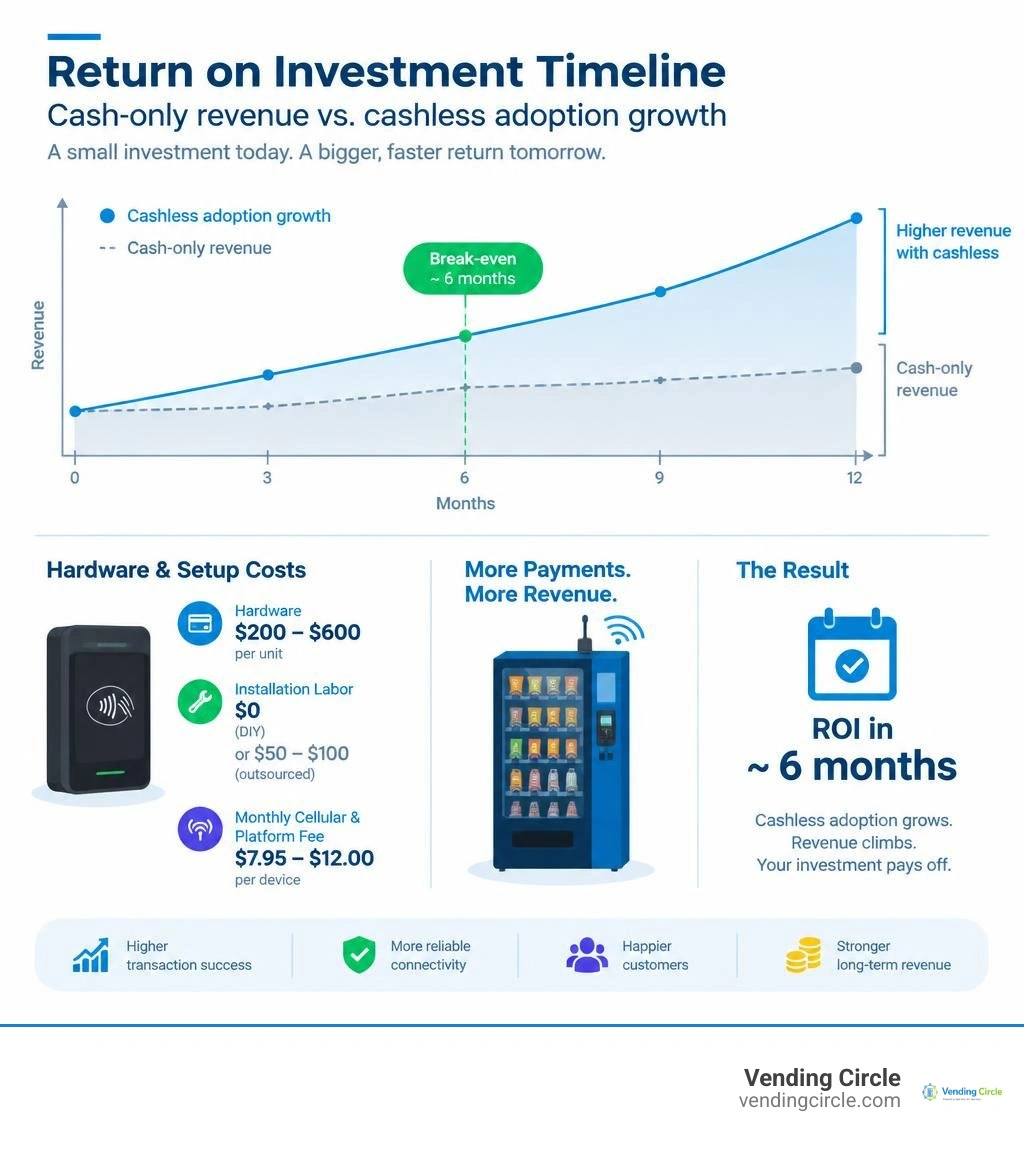
Let’s review the real numbers behind retrofitting a vending machine with cashless hardware:
- Hardware Cost: $200 to $600 per unit, depending on whether you choose a compact tap-only reader or a full touchscreen terminal with integrated advertising capabilities.
- Installation Labor: $0 if you follow this guide; otherwise $50 to $100 per machine if outsourced to third-party field technicians.
- Monthly Cellular & Platform Fee: $7.95 to $12.00 per month per device covering 4G/5G SIM data, telemetry, cloud management, and remote inventory tracking.
- Transaction Processing Fees: Typically 3% to 5.95% per swipe/tap, or a fixed custom interchange structure (such as $0.10 + 2.5% per vend).
- Sales Volume Lift: Operators report immediate gross revenue increases of 20% to 35% after adding cashless payment options, with high-foot-traffic locations surging by 40% or more.
- Transaction Share: Cashless payments now account for over 60% of all purchases at locations accepting both cash and card, rising above 85% adoption within 3 to 6 months in offices and educational facilities.
| Financial Metric | Cash-Only Machine | Machine with Cashless Card Reader | Net Impact |
|---|---|---|---|
| Average Monthly Gross Sales | $400.00 | $540.00 (35% increase) | +$140.00 / month |
| Monthly Gateway / Cellular Fee | $0.00 | -$9.95 | -$9.95 / month |
| Payment Processing Cost (at 5%) | $0.00 | -$18.90 (on $378 card sales) | -$18.90 / month |
| Average Monthly Net Gain | $0.00 | +$111.15 Net Profit | +$1,333.80 / year |
| Payback Period ($350 Reader) | N/A | 3.1 Months | Fast Positive ROI |
In high-traffic locations like medical call centers or multi-shift manufacturing warehouses, operators often recover their total initial hardware outlay in as little as 6 to 8 weeks. For a broader analysis of hardware options across various price tiers, check our guide to vending card readers.
Frequently Asked Questions About Cashless Upgrades
How Long Does It Take to Add a Card Reader to a Vending Machine?
Once compatibility is verified and tools are prepared, physically mounting and wiring a card reader takes roughly 30 to 60 minutes per machine.
Modern MDB systems feature straightforward plug-and-play wiring harnesses that eliminate complex wire splicing. The primary time investment involves drilling mounting holes (if the front panel lacks a pre-stamped knockout) and waiting 3 to 5 minutes for the cellular modem to complete its initial network registration.
For advanced troubleshooting or model-specific pinout questions, operators can consult manufacturer technical support documentation to verify controller board settings.
Can You Add Cashless Readers to Older Non-MDB Machines?
Yes. Older legacy vending machines operating on 110V or pulse-based interfaces can be retrofitted using an aftermarket MDB conversion kit.
Retrofitting a legacy machine typically costs between $300 and $600 in total components, as you must install a converter box and upgrade both the coin mechanism and bill validator to MDB-compatible equivalents.
Some legacy conversion boards cap the maximum allowable vend price at $12.00, which is still well above standard drink and snack pricing thresholds.
What Payment Methods Do Modern Vending Readers Support?
Modern vending terminals accept virtually all contemporary cashless payment methods, including:
- Contactless Tap-to-Pay: Visa, Mastercard, American Express, and Discover NFC contactless payment cards.
- Mobile Wallets: Apple Pay, Google Wallet, and Samsung Pay using NFC technology.
- EMV Contact Chip: Traditional chip insertion with PIN or signature verification.
- Magnetic Stripe: Standard backward-compatible card swipe tracks.
- Closed-Loop & Campus Cards: Prepaid company badges, university dorm ID cards, and custom loyalty stored-value cards.
- Dynamic QR Codes: Digital wallet payments via mobile scanning apps.
To learn more about how consumer payment behaviors are evolving across unattended retail routes, explore our breakdown of vending machine card trends.
Conclusion
Upgrading your vending fleet with cashless card readers is one of the highest-ROI improvements you can make as an operator. With cashless transactions accounting for over 60% of all vending purchases—and growing—relying exclusively on physical bills and loose change leaves money on the table every single day.
You do not need to spend hundreds of dollars per machine hiring third-party service technicians. By verifying MDB compatibility, securing the bezel at an ADA-compliant height, connecting your 6-pin harness loop, and running clean live test transactions, you can confidently modernize your equipment yourself. Beyond higher gross sales, adding telemetry gives you real-time visibility into inventory levels, sales reporting, and machine errors right from your smartphone.
Ready to scale your vending operations with manufacturer-direct pricing, proven route growth strategies, and direct support from fellow operators? Join our active operator community at Vending Circle and explore our vending machines to take your vending business to the next level today!